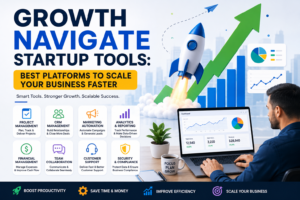
Optimize Images Fast and Efficiently
High-resolution images can look great, but they can also be a pain for websites, social media sites, and device storage. These big files can make pages take a long time to load, use a lot of bandwidth, and take up a lot of space. Google also looks at how fast a page loads when ranking sites. A website that takes longer than 10 seconds to load may see a big jump in bounce rates (source).
Introducing a web-based tool that quickly and safely improves your photos without losing quality: comes with an image compression tool. This useful tool works completely in your browser, so your images stay private because the compression happens on your device and doesn’t involve servers.
Vinlyee Image Compressor is a quick, easy, and reliable way for photographers, content creators, web developers, and anyone else who wants smaller files to optimize their images.
Why is Vinlyee Image Compressor the best choice?
You don’t need a server for this product; it’s all online.
The Vinlyee Image Compressor only works in your browser, so your files are never sent to a server. This gives you full privacy and faster performance because all processing happens on your computer. You can be sure that your pictures won’t be saved, shown, or shared without your permission.
Use without limits and for as long as you want.
Most online image compressors have limits on file size, how often you can upload files, or require you to sign up. Vinlyee Image Compressor, on the other hand, is completely free. You don’t have to sign up or limit the number or size of images you can compress.
Making your website load faster can make a big difference in how well it works and how much people enjoy using it. A website that loads faster makes browsing smoother and gets information to users faster, which is better for both the user and the website. Businesses can make their customers happier and get more sales by focusing on making their websites faster.
Optimizing images makes websites load faster, which makes the user experience better and helps search engines rank them higher. Smaller images also use less bandwidth, which means that pages load quickly even on slower connections.
Use less storage space on your device
Images that are high quality, like those in RAW or DSLR formats, can take up a lot of space, sometimes several megabytes. Vinlyee Image Compressor can make your images much smaller, freeing up space on your computer, cloud storage, or external drives.
Making it easier to share and upload.
You can easily upload smaller images to social media, email, or cloud storage. Compressed images can be shared quickly without losing their quality.
File types that work together
Vinlyee Image Compressor works with the most common types of image files:
- JPEG and JPG files are the best way to take pictures and complicated pictures.
- PNG is the best format for graphics, icons, and images that need to be see-through.
- Using GIFs, even animated ones, in messages and posts on social media.
- WebP is a new file format that keeps quality high while making files smaller.
You can easily compress images without having to convert them first, thanks to the program’s wide support. This makes the process smooth and easy.
Vinlyee Image Compressor has a lot of great features that set it apart from other products on the market. Users can easily compress images without losing quality thanks to its great performance. Also, its easy-to-use interface makes it easy to find your way around and use it well. It can handle a lot of different image formats, so it’s a good choice for all your compression needs. Don’t worry, Vinlyee Image Compressor will take care of you with its fast and effective compression.
"Our compression technology uses advanced artificial intelligence to compress data in a smart way."
Vinlyee Image Compressor uses the latest AI technology to make files smaller without losing image quality. It uses a mix of lossy and lossless compression methods to make the best images possible without any noticeable loss of quality.
You can change the Quality Slider to fit your needs.
Vinlyee has a manual quality slider for users who want more control. By moving the slider down, you can get the most compression, and by moving it up, you can keep more detail. This lets you find the right balance between file size and visual quality that works best for you.
Batch image processing lets you edit and change many images at once, which makes the editing process easier.
You can save time by processing several images at once. You can upload a folder or choose several files, change the settings for each file or all of them, and then download all of the optimized images at once. This useful tool is great for photographers, designers, or anyone else who has a lot of images to organize.
With our real-time before-and-after feature, you can see changes as they happen.
Live previews will help you understand how compression affects your images. This makes sure that you keep the quality and sharpness while making the file smaller. You can easily see the difference between the original image and the compressed one by looking at them side by side.
Keeping privacy in mind
Your browser does the compression, so all of your files stay on your device. This means that there is no need for server-side storage, making it a safe choice for keeping private, sensitive, or business-related photos safe.
You don’t have to install it.
Vinlyee Image Compressor works completely over the internet. You don’t have to download software, install plugins, or keep track of your subscriptions. Just go to the website, drag and drop your pictures, and they’ll be compressed right away.
"Have unlimited and free access."
When you compress images, there are no hidden limits. You can do this without making an account or paying any fees, no matter how big or small they are.
Upload Your Images
Drag and drop images into the browser or select files manually. You can upload multiple images at once, in different formats (JPEG, PNG, GIF, WebP).Adjust Compression Settings
Use the quality slider to select the desired compression level. For beginners, the AI automatically chooses the optimal settings.Preview Changes
Check the before-and-after preview for each image to ensure quality is maintained.Download Optimized Images
Save individual images or download all compressed files in a single ZIP. Your originals remain untouched.Optional Social Media Presets
Apply platform-specific optimization if your images are intended for social media.
Vinlyee Image Compressor vs Other Tools
Many image compressors require accounts, have upload limits, or store files on servers. Vinlyee stands out because:
- 🔧 Unlimited Free Use: Compress any number of images without signing up
- 🔧 Browser-Based: No server involvement; files stay private
- 🔧 Batch Processing: Optimize multiple images at once
- 🔧 Supports GIFs and WebP: Unlike many competitors
- 🔧 Quality Control: Adjustable slider and real-time preview
Tools like TinyPNG and Optimizilla offer compression but limit free usage and don’t always support all formats. Vinlyee Image Compressor provides a complete, private, and powerful solution for every user.
Optimizing images is essential for faster websites, better SEO, reduced storage, and easier sharing. Vinlyee Image Compressor provides a free, web-based, secure, and unlimited solution for compressing images without compromising quality. With intelligent AI compression, batch processing, quality sliders, social media presets, and browser-only processing, it’s the ideal tool for photographers, designers, web developers, and everyday users.