Finding the right YouTube video shouldn’t feel like searching for a needle in a haystack.
Yet most of us have experienced it — you type a keyword, scroll endlessly, open multiple tabs, and still don’t find what you need. That’s exactly why the concept of a YouTube video finder is becoming more important than ever.
A YouTube video finder helps you discover relevant, fresh, and useful videos faster by improving how you search YouTube content. Whether you are learning a new skill, researching a topic, or planning content, this tool changes the way you explore videos.
In this guide, you’ll learn:
🟢 What a YouTube video finder is
🟢 Why YouTube’s default search often fails
🟢 Who should use a video finder
🟢 Key features to look for
🟢 How to use it effectively
🟢 How Vinlyee’s tools like VMC fit into your workflow
Let’s break it all down in a simple, beginner-friendly way.
What Is a YouTube Video Finder?
A YouTube video finder is a smarter way to search YouTube videos using refined logic instead of relying only on YouTube’s built-in algorithm.
Instead of showing you:
🔴 Random popular videos
🔴 Outdated uploads
🔴 Over-optimized clickbait
A video finder focuses on search intent.
In simple words:
A YouTube video finder helps you quickly find the right video — not just the most popular one.
It does this by:
🔸 Highlighting recent uploads
🔸 Showing trending content
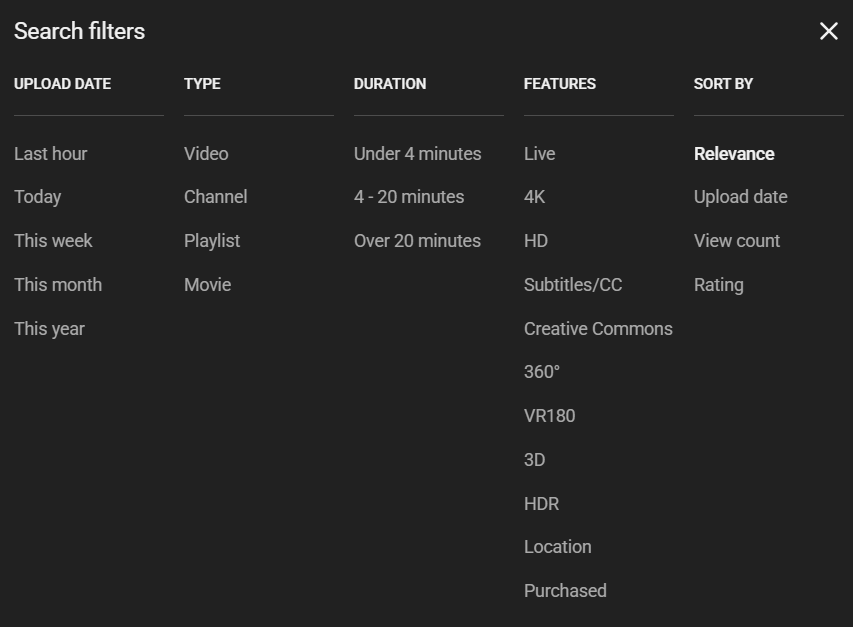
🔸 Filtering by relevance, views, or duration
Why YouTube’s Default Search Is Limited
YouTube’s algorithm is designed to keep people watching, not necessarily to give the best answer.
That means:
🔘 Older videos with high views rank first
🔘 New creators struggle to appear
🔘 Niche and educational content gets buried
🔘 Results feel repetitive
For example, searching “video editing tips” often shows the same big creators again and again — even if their videos are years old.
A YouTube video finder solves this by giving you control over how results are filtered and sorted.
Why Use a YouTube Video Finder?
Using a YouTube video finder saves time and improves content discovery.
Here’s how it helps.
Saves Time Instantly
No more endless scrolling.
With better filtering, you:
🔘 See relevant videos faster
🔘 Avoid unrelated results
🔘 Find answers quickly
This is especially useful when researching or learning under time pressure.
Helps You Find Fresh & Trending Videos
Fresh content matters.
A YouTube video finder makes it easier to:
🔘 Discover newly uploaded videos
🔘 Spot trending topics
🔘 Stay updated in your niche
This is extremely valuable for creators, marketers, and learners who rely on up-to-date information.
Improves Search Accuracy
Most video finders allow filtering by:
🔘 Upload date (today, week, month)
🔘 Video duration
🔘 View count
🔘 Relevance
🔘 License type (e.g., Creative Commons)
This turns guessing into precision.
Reveals Hidden, High-Quality Content
Some of the best videos:
🔘 Come from small creators
🔘 Don’t rank well initially
🔘 Are deeply educational
A YouTube video finder helps surface this kind of content — which often provides more value than viral videos.
Who Should Use a YouTube Video Finder?
Content Creators & YouTubers
🎥 Research video ideas
📚 Study competitors
🔍 Discover trending topics
🧾Improve content planning


Marketers & Digital Agencies
📱 Find influencer content
🔖 Track brand mentions
📎 Discover videos to embed or promote
📎 Analyze trends visually
Students and Ressearchers
🖥️Locate educational videos faster
📜Find recent explanations
🔎Improve research efficiency


Freelancers & Professionals
🔧 Learn new tools and skills
🧘♂️ Find high-quality tutorials
📺Avoid outdated information
Casual Viewers
📺 Discover new channels
💡 Explore interests deeply
⭕ Escape algorithm repetition
No matter your level, a YouTube video finder makes discovery smarter and faster.

Key Features to Look for in a YouTube Video Finder
Not all tools offer the same value.
Here are the features that actually matter.
✅ Real-Time Video Results
The tool should display:
🟢 Newly uploaded videos
🟢 Fresh content related to your query
This ensures your search stays relevant.
✅ Advanced Filters
Look for filters like:
🟢 Upload date
🟢 Video length
🟢 View count
🟢 Relevance
These help narrow results instantly.
✅ Trending Discovery
Trending insights help you:
🟢 Identify popular topics
🟢 Validate content ideas
🟢 Stay ahead of changes
Perfect for creators and marketers.
✅ Clean & Fast Interface
A simple interface improves:
🟢 Focus
🟢 Speed
🟢 Usability
Avoid tools overloaded with ads or clutter.
How to Use a YouTube Video Finder Effectively
Follow this simple approach.
Step 1: Use Specific Keywords
Instead of: “marketing”
Try: “YouTube SEO strategy 2025”
Clear intent = better results.
Step 2: Apply Filters Early
Filter by:
⚪ Recent uploads
⚪ Suitable video duration
⚪ Minimum views
This removes noise immediately.
Step 3: Explore Trending Sections
Trending areas help:
⚪ Spark content ideas
⚪ Identify demand
⚪ Understand audience interest
Step 4: Refine & Repeat
If results aren’t perfect:
⚪ Adjust keywords
⚪ Change filters
⚪ Try related phrases
Smart searching improves over time.
What to Do After You Find the Right Video
Finding the video is only part of the workflow.
Often, you want to:
🔸 Convert formats
🔸 Extract audio
🔸 Reduce file size
🔸 Use content offline
That’s where Vinlyee’s tools help.
Use Vinlyee Media Converter (VMC) With Your Found Videos
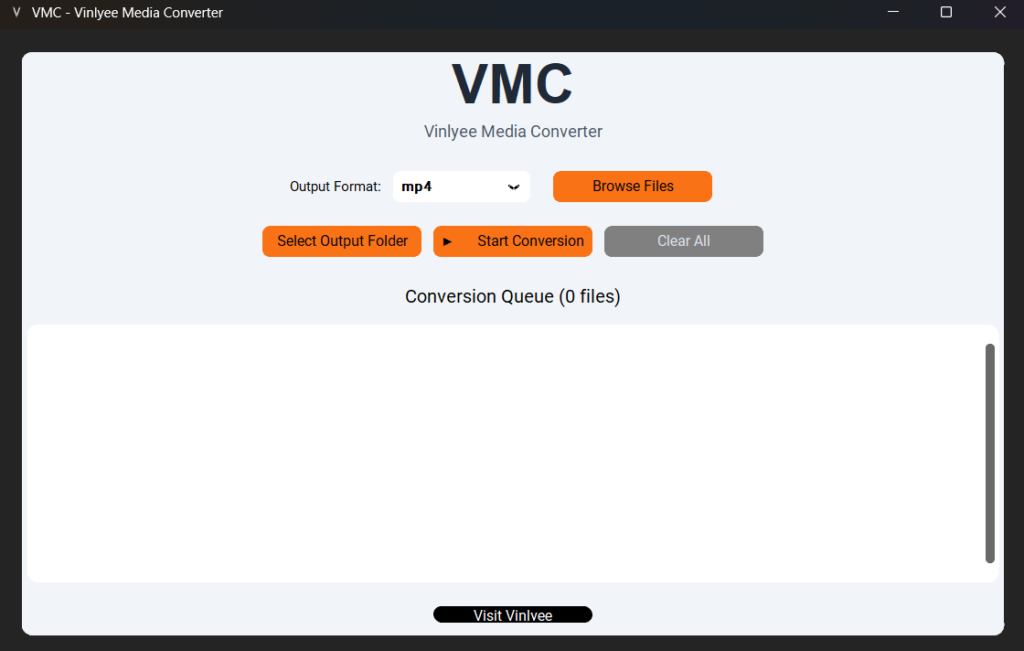
After discovering content with a YouTube video finder, Vinlyee Media Converter (VMC) helps you prepare media for use.
What Is VMC?
VMC (Vinlyee Media Converter) is a free, browser-based tool that lets you:
🔸 Convert video formats (MP4, MOV, MKV, AVI)
🔸 Convert audio formats (MP3, WAV, FLAC, AAC)
No downloads.
No sign-up.
Fast and simple.
Why VMC Works Well With YouTube Content
🔸 Converts files for editing or sharing
🔸 Extracts audio for podcasts or notes
🔸 Reduces file size without heavy quality loss
🔸 Works entirely online
This makes it a perfect companion tool after using a YouTube video finder.
Ethical & Smart Usage Tips
Always use YouTube content responsibly.
🔸 Respect copyright rules
🔸 Prefer Creative Commons when needed
🔸 Credit original creators
🔸 Avoid re-uploading without permission
Smart tools should support ethical use.
Final Thoughts: Discover Better, Create Smarter
A YouTube video finder transforms how you explore content.
Instead of relying on chance:
🔸 You search with intent
🔸 You save time
🔸 You learn faster
🔸 You find better videos
When combined with tools like Vinlyee Media Converter (VMC), the workflow becomes complete: