If you’ve submitted your resume for jobs but getting no responses, your resume may not be getting to the right person. This may sound like a harsh statement but it’s a fact of how modern day hiring operates. Before a recruiter even opens your application the automated system known as ATS has already looked it over and scored it. Then, it determines whether or not you’re worthy of an individual’s time.
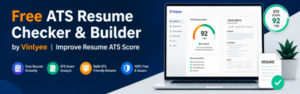
Vinlyee’s no-cost ATS Resume Tester as well as Resume Builder was created to correct precisely this. It offers a clear, transparent review of how your resume’s performance is assessed by these systems and provides you with the tools needed to enhance it. There are no subscriptions. No fluff. A practical tool that performs.
What Is an ATS and Why Does It Exist?
Applicant Monitoring Systems initially created to help businesses manage huge numbers of job applications. When a major company announces one job opening it can get hundreds — or even thousands of applications in just a few days. Human Resources cannot manually sort through the entire pile. They make use of software to perform the initial round of screening.
ATS software gathers all applications it reads through resumes and ranks applicants according to the degree to which their resume is in line with what is required in the position description. It searches for specific keywords, determines if the resume has been formatted in a way that is easy to read and flags any missing information. Only resumes with a high enough score are sent to the screen of a recruiter.
This is the thing that many job seekers aren’t aware of the fact that more than 75% of the largest companies and an increasing number of small-sized businesses use an ATS as their first method of screening. This means that 3 out of 4 employers run your resume through an automated system before they even look at it. If your resume’s formatting isn’t correctly or isn’t written in the correct words, it’s checked out, quietly at a time, without feedback.
You don’t learn. It’s just that you don’t hear back.
The conversation about resumes has changed. It’s no longer just about having a stellar resume. It’s about creating a resume that can be read by an ATS and can actually review and classify.
The Real Problem With Most Resumes
A majority of resumes are written according to the method they were taught in the past and with a concentration on design, imaginative layout, and making things appear attractive visually. The issue lies in the fact that ATS systems do not care about the way a resume appears. They’re interested in the quality of the resume they read.
Resumes with multiple columns can confuse engines parsing them. Text boxes and tables can result in data being misinterpreted or completely skipped. Beautiful icons and fonts that look stunning in PDF viewers are inaccessible to many ATS systems. Simple things like the labeling of your work experience section “Career Journey” instead of “Work Experience” can cause the system to overlook it.
There’s also the issue of keywords. ATS systems are designed to match the language on your resume with the language used in the description of your position. If the job description mentions “Project Management” and your resume states “Overseeing Projects,” those aren’t the same for an ATS although they could mean the exact same thing to an individual.
This means that qualified candidates are rejected every single day. This isn’t because they don’t have experience however, their resumes aren’t built to the particular system that reads it first.
How Vinlyee ATS Resume Checker and Builder Solves This
Vinlyee tackles this issue in two ways: looking at the items you already have as well as helping you create something new and better.
The ATS Auditor — Scan Your Existing Resume
The ATS Auditor tool allows you to submit your resume as PDF files and then get an instant assessment of the way it compares to ATS standards. It doesn’t simply provide you with an A or F -it will break down precisely the things that are working and not.
If you submit your resume the program evaluates it against different dimensions. It determines whether the content in your file is machine-readable and selectable or if it’s stored as a picture that isn’t readable completely. It analyzes the structural formatting to determine whether segments are clear and organised. It also checks for contact information and if it’s in the right place ATS systems anticipate to locate it.
The end result is the ATS score in a range of zero to 100, with a full analysis of the factors that contributed to the score. It will show the areas that are doing well and which have a negative impact on your score. This is precisely what makes the tool effective. A vague feedback such as “improve your formatting” doesn’t assist anyone. Recognizing that your resume is lacking a clearly defined skills section or that your PDF doesn’t have readable text, provides you with a concrete solution to correct.
This kind of analysis can take only a few seconds. It’s an important distinction in knowing that your resume will work and just hope that it will.
The Resume Builder — Build a Proper ATS-Friendly Resume
If an audit uncovers issues that are too serious to be fixed with minor changes -or if you’re just starting new, using the resume builder is the way to start from the start.
The builder is built around the exact formatting rules that ATS systems are able to respond to. Each section follows a simple normal order of operations. There aren’t any multi-column layouts or text boxes, or design elements that appear attractive on the screen, but cause difficulties in parsing. This output format is customizable text-based PDF that ATS software is able to be able to read with no issues.
The process is outlined. Fill in your details section-by-section – professional summary and work experience, as well as the core competencies, as well as any other sections you require. The builder manages the formatting for you automatically, meaning that you don’t need to think about structure when trying to figure out the content.
After you’re finished, you download a clean, tidy PDF made to work with ATS systems without being flagged for formatting issues. It appears professional to human reviewers as well — neat, well-organized, easy to look at.
Understanding the ATS Score — What It Measures
A point to be understood is that the ATS score that Vinlyee gives is a formatting score, not the content score. This is a crucial distinction.
The tool evaluates whether your resume is readable through an ATS system. It determines whether your resume is searchable or if the structure can be parsed, and whether the layout is consistent with guidelines that tracking systems are able to process. It also checks if the information on your resume is searchable and the way your section is labeled, whether it’s in clear ways, and if the overall layout would cause problems when the process of parsing.
What it doesn’t analyze is whether your keywords correspond to an exact job description. This is because keywords are completely dependent on the position that you’re applying to, as each job description is unique. A person who is applying for two similar positions at two different companies may require distinct emphasis on keywords for each job description.
This is actually the best method. An application that attempts to evaluate your content against a general keyword database is providing false assurance. Content optimization must be manually done, and specific to each task you apply to. The tool takes care of the technical basis, you manage the tagging.
How to Optimize Your Resume Content for ATS — The Right Way
Because optimizing your website’s content and keywords is your obligation, here’s an effective technique that is efficient as it doesn’t need any specialist understanding.
Begin by reading an overview of the position. Take the time to read it through and look for the words, terms and credentials that are mentioned frequently or are central to the job. Be aware of specific words and the precise phraseology is more important than the overall concept.
Take a look at your resume and evaluate it against these terms. What are the gaps? Are you using different words in the description of the same item? That’s where you should adapt to.
An effective method is to employ an AI writing tool such as ChatGPT and Google Gemini to help you accomplish this task efficiently. Copy the complete job description and insert it into the tool. You can then paste your resume information alongside it. Then request it to edit your resume in a manner which is compatible with the job description, while including the appropriate keywords.
The result will not be flawless, but it will give you a good draft you can work on. When you’ve got information that’s keywords-aligned for the job, import it into Vinlyee’s resume builder, make sure it’s formatted correctly and export it as a clean and ATS-friendly PDF.
The combination of AI-assisted content optimization and correct ATS formatting, places you in a more advantageous position than other applicants. Research has consistently shown that resumes with the highest 20 to 25 percent in ATS rankings are those that are reviewed by hiring managers. The majority of companies do not go above the threshold. In order to get your resume in the range of that isn’t just useful it’s basically the minimum requirement to be considered.
Key Features That Make Vinlyee ATS Resume Checker Builder Stand Out
Instant ATS Score Analysis
The scoring system provides you with an exact number that is indicative of the resume’s ATS compatibility. It’s not an abstract assessment or a list of suggestions It’s a precise score that includes specific feedback. You know where you are and know the things you can change.
Text Selectability Check
One of the most frequent problems with resumes is one that appears perfect, but was stored in a way that renders the text inaccessible by ATS software. The auditor will specifically look for this because an application that is visually flawless but not readable by a computer will be rated zero, regardless of the other factors.
Contact Information Validation
ATS systems must find your contact information in order to fill applicant databases. If your email, name or telephone number is included in a header footer or text box, the majority of systems won’t notice it completely. The tool will check the accuracy of your contact information. placed in the correct position.
Formatting Issue Detection
The audit identifies structural issues including multi-column layouts tables, section headers that are not standard, and tables used for formatting which are all common errors in visually designed resumes.
Simple Resume Builder that comes with ATS-Ready Output
The builder generates PDFs that are text-based, and can be edited from the bottom up. You’re not at risk of making a document with incorrect settings when using the builder in the way you intended.
Completely Free, No Account Required
There’s no signing up or trial period which converts into a paid subscription, and there’s no premium plan that locks important features off. The program is available for free for as many times as you require.
Who Should Use the Vinlyee ATS Resume Checker Builder
This tool can be useful to nearly anyone who’s conducting the job market — but it’s most useful in a handful of specific scenarios.
If you’ve been submitting your resume to positions on a regular basis and not receiving a response an ATS checker can be an excellent first step to diagnose. It will quickly tell you whether your resume is suffering from a technical issue that’s caused it to be removed before anyone else can see it.
If you’re updating your resume designed to impress visually (with columns or icons, color blocks or other creative layouts, you should run it through a test. The designs can cause major errors in parsing, but aren’t obvious to the naked eye.
If you’re applying for large enterprises or large companies chances for ATS screening is extremely high. These are the exact situations where a formatting error could cause you to lose an opportunity even though you’re qualified for the position.
If you’re returning to work after a break and you’re dealing with an outdated resume template which isn’t compatible with the current ATS standards. The builder offers you an organized and clear starting point designed to be compatible with today’s hiring processes.
If you’re submitting your resume to various positions and wish to design a customized version that are specific to each the builder allows you to modify the content and download an updated version every time.
Common ATS Mistakes to Avoid
Understanding the causes of ATS mistakes can help you make better choices not just using it, but also with the way you write your resume in general.
The use of graphics or images in your resume is among the most frequently encountered issues. Even if you have an image with your name or logo with the name of your business, ATS software often treats the entire resume as inaccessible.
The saving of your resume as the image of a PDF can lead to a frequently made error. Certain tools for design, as well as certain document editors save PDFs in a format that your text appears in an image, rather than actual text. It appears identical to the human eye, but is totally inaccessible for an automated system.
Utilizing headers and footers to store your contact details is an issue because a lot of ATS systems can’t understand these sections. If your email address and name are listed in a header, the system could create an applicant record that has no identifiable information.
Utilizing uncommon section labels is more challenging than people imagine. Labels such as “Where I’ve Worked” or “My Skills” may seem more personal and interesting, however ATS software is trained to seek out typical labels. Keep to standard names for sections such as Work Experience, Education, Skills, and Certifications.
The practice of keyword stuffing — stuffed the resume of keywords that makes it appear unnatural could also be a disaster. Nowadays, ATS systems are more advanced than they were in the past and some have been created to identify the use of keywords that look manipulative. Concentrate on natural, precise keyword integration instead of trying to include every word that could be used.
How to Use the Vinlyee ATS Resume Checker Builder — Step by Step
Step 1: Run the ATS Audit on Your Current Resume
Visit the ATS Auditor section and upload your resume in PDF. The tool will then analyze it and calculate your ATS score and the full breakdown. Examine the feedback thoroughly, take note of the areas that are highlighted and the reasons for them.
Step 2: Decide Whether to Fix or Rebuild
If your resume is displaying minor formatting issues, you may be able of addressing these issues and export from the original document. If the issue is structural, such as multi-column layout, text that cannot be selected or major formatting decisions that require a complete revamp — it’s generally easier to redesign your resume with your Resume Builder.
Step 3: Optimize Your Content Before Building
Before you begin filling in the form, make sure to align your resume’s content to the position that you’ll be applying to. Utilize the keyword technique explained earlier in this article to find the words from the job description, which you can incorporate naturally into your descriptions of experiences as well as your skills section and summary.
Step 4: Fill in the Resume Builder
Review each part of the builder, including your contact details, professional profile, your experiences, education, the core competencies, any other sections that are relevant to your area of expertise. Use your writing clearly and include the keywords you’ve selected without putting them in awkwardly.
Step 5: Download and Apply
After your resume is finished Download it in a downloadable PDF. Then, run it through ATS Auditor one final time to make sure it’s scored properly, then begin applying confidently.
If you’re applying to several positions, go through the process of optimizing content for each job description, and then create an individual version. Maintain the same formatting -only the content you’re targeting has to be changed.
Frequently Asked Questions
What’s the definition of an ATS job checker?
A ATS resume checker tool analyzes your resume according to how it does in Applicant tracking systems. It detects formatting issues or structural problems, as well as other issues that may result in your resume being eliminated before a hiring manager is able to review it.
How can I determine my ATS score on my resume?
Upload your resume to Vinlyee ATS Auditors. The software scans your resume instantly and then generates scores from 0 to 100 as well as a detailed description of the factors that are contributing to this score, and what’s required to be changed.
How can I tell whether my resume is compatible with ATS?
A resume that is ATS-friendly has the option of selecting text instead of images-based content and standard section labels. It also has basic formatting, without tables or multi-column layouts used as design elements and contact details that are located in the body of the document, rather than in footers or headers. The process of running it via the ATS verifier can be the most accurate method to verify.
Is Vinlyee’s Resume Checker absolutely free?
Yes. There’s no sign-up or subscription required or premium level. The tool is accessible for use however many times you require.
Do ATS systems read resumes in PDF?
Modern ATS software can take PDFs in, but only if the pdf has actual text that can be selected. PDFs saved in the form of images or created by design tools, in a manner which embeds text into images, are not able to be read through ATS software. The Vinlyee tester is specifically designed to detect this.
Does the ATS checker analyse my keyword?
It’s not — and that’s deliberate. Keyword analysis should be conducted in conjunction with a specific job description, which is modified for each job you are applying to. The tool examines the structure and formatting as well as technical aspects that can be fixed one time and then apply to a broad range of. The process of optimizing keywords can be something you can do on an individual basis.
Do I have to utilize the Resume Builder in the event that I already have an existing resume?
Absolutely. A lot of people use the builder tool to create their resumes using the correct format, with an ATS-compliant structure. It allows you to keep the content, but build it in an appropriate framework that ATS systems are able to read.
Do I need to create separate resumes for each job I am applying for?
Ideally, yes, at a minimum, in terms of the emphasis on keywords and content. The foundation part of your resume (your knowledge, experience and abilities) remains the same, but changing the language to be in line with the job description will significantly boost your ATS rank. The Vinlyee builder allows you to design targeted resumes without having to start over each time.
What format should I upload my resume?
A PDF that is text-based is the best choice for most applications. It’s accepted by all, has consistent formatting across various systems, and is easily read by the most modern ATS software if properly created. It’s output by the Vinlyee Builder in precisely the same format.
Why can an attractive resume fail ATS screening?
Design and visuals as well as ATS compatibility can be in conflict. The elements that make a resume look appealing to the human eyegraphic, columns icons and custom fonts, as well as decorative tables — can create issues with ATS processing engines. A resume designed for machines first and then humans later can be a step further during an interview process.